
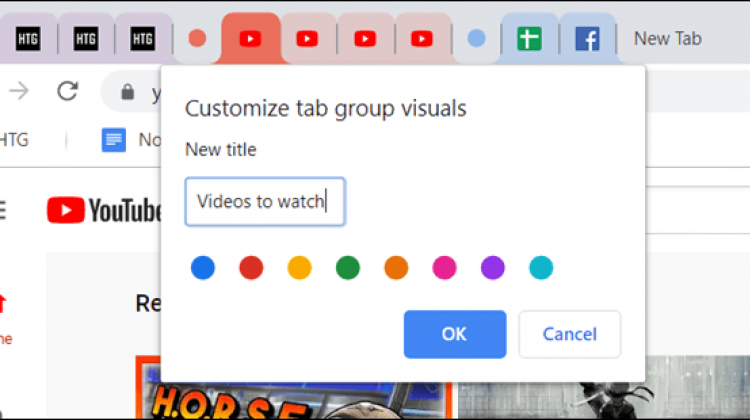
Google has released a new feature on Chrome, which gives the ability to group together related tabs.
Group tabs make working or viewing multiple web pages easier, providing better management of tabs and navigation across web pages, as well as saving space on smaller screens/devices. Google is working on this feature being collapsible, allowing the group tabs to expand or shrink when clicked on.
This feature is currently available in the Canary build of Chrome 85, and it is not enabled by default. The feature will be rolled out to all users in future, but to enable this feature now:
- Make sure you are running Chrome Canary 85.0.4148.0
- Launch the browser and type chrome://flags into the address bar
- Search for Tab Groups using the search box
- Click on the drop-down box next to Tab Groups and Tab Groups Collapse
- Set both to Enabled
You can check the feature is working by grouping some pages into a tab, and then clicking its label to expand and collapse it.