
Two Factor Authentication for Cloud Backup and Shared Drive
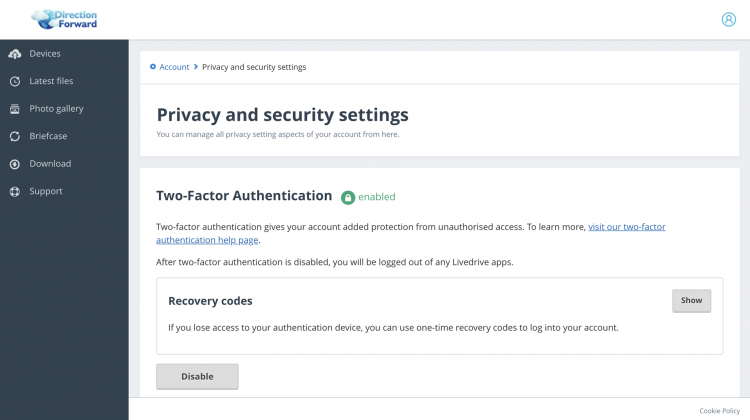
We are pleased to introduce Two Factor Authentication (also known as 2FA, Multi Factor Authentication and MFA) for our Cloud Backup and Shared Drive services.
Enabling Two Factor Authentication will further safeguard your data and means you are 99.9% less likely to be compromised. This protects your accounts with a two step login – after entering your username and password as usual, you will be asked to enter 6-digit code which is either texted to your phone or created by your phone’s security app.
To turn on Two Factor Authentication for Cloud Backup and/or Shared Drive, please log in to your web portal (links below), click on the top right Profile icon and select Privacy and security. Finally, click Enable on the Two Factor Authentication section and follow the instructions.