
iOS 11 Available Now — News and Features
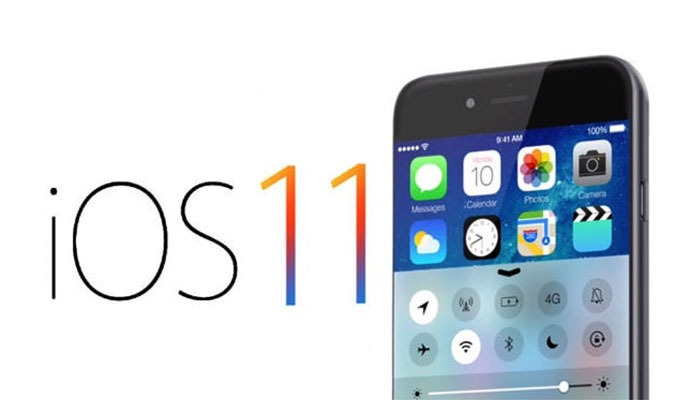
The new iOS 11 update from Apple is now available for download on your iPhone and iPad. This is a categoric update and changes the way your device looks visually and the way it works.
Even if you’re not upgrading to a new iPhone X or iPhone 8, your device will feel like it’s had a significant refresh thanks to several user interface changes and fresh features.
Some of the new features though are exclusive to the new iPhones and some are even exclusive to the iPhone X alone. One talked about feature exclusive to the iPhone X is the Animoji — an emoji combined with animations of your face taken by the iPhone X’s 3D face-scanning TrueDepth camera array. The resulting Animoji tracks the muscles in your face to animate the emoji.
Face ID and gesture-swiping to replace the home-button will also be an iPhone X-only feature.
Portrait lighting is also available on the iPhone X, iPhone 8 and 8 Plus. It uses the dual-lens depth-sensing camera and machine learning to simulate a range of lighting effects — Contour Light, Natural Light, Stage Light, Stage Light Mono and Studio Light.
How will iOS 11 change your current iPhone and iPad?
iOS 11 is an especially significant update for iPad, which is becoming a more viable laptop replacement due to revamped multitasking from iOS 11. Also, both iPhone and iPad get a well needed Control Centre reorganisation.
Multitasking in iPad
The iOS 11 dock makes multitasking easier on the iPad — included is a dock just like a Mac computer, it’s hidden but you can access it by swiping up.
Drag and Drop is also now possible, and apps will now launch in split-screen mode when you drag them to the side of the screen.
You can also transport items across a split screen: text, photos, hyperlinks, files and so on.
Keyboard shortcuts have been enhanced and are now available for the iPad Pro 10.5-inch with iOS 11. It combines letter keys with numbers, symbols and punctuation marks (currently found on the second keyboard layer), letting you access them with a new flicking gesture.
Flicking these secondary numbers and symbols downward is much easier than switching back and forth between the two layers, like before.
AR capabilities
The iPhone’s AR (Augmented Reality) capabilities are enhanced with the iOS 11 update. The App Store is currently being filled with AR games and software tools. Developers are creating AR apps, overlaying virtual objects on the real world using your iPhone or iPad and its camera. Much like a really advanced version of Pokemon Go — but with more possibilities.
New Files app and Document Scanner in Notes
You will also notice a new app called, “Files”. This new app lets you sort through your files and browse, search and organise all in one place. Files allow other services besides iCloud Drive such as Google Drive, Dropbox, Box etc.
The Document Scanner in Notes removes the need to scan important documents that you need to sign. The feature scans, crops the edges and edits any imperfections and then lets you fill in the blanks or sign away with an Apple Pencil.
iMessage
iOS 11 also makes iMessages better by iCloud syncing across your iPhone, iPad and Mac. Which means deleting a conversation bubble one device it will also disappear on the others. Also, it frees up all of your iMessage storage — a big problem for texters!
Apple Pay
Apple Pay has also expanded to include person-to-person payment features. It’s identical to what PayPal does but via an app-free solution.
Apple Pay payments use Touch ID (or Face ID) for authentication and iMessages to send payments between friends or other contacts. There is also the option of using Apple Pay Cash right away via any terminal that accepts Apple Pay.
Siri
Siri has also received a refresh and is said to be sounding more natural — as well as now you can choose between a female and male voice option.
Siri is also learning along with you, going as far as surfacing different word suggestions after you read a specific news story in Apple News or Safari.
Since Siri is on 375 million devices and is in more languages and more countries than any other personal assistant, Apple is taking advantage of this and is using deep learning for quick translations.
Control Centre
The revamped Control Centre from iOS 11 is a complete overhaul with an all-in-one look to put quick controls at your fingertips without having to swipe between menus.
Everything is combined now: system controls, app shortcuts and music controls and accessed by pulling up from the bottom of the screen.
The lock screen and notification centre are now in one making it easier to see older alerts you have missed. Swiping up on the normal lock screen will display the notifications.
Camera app
The camera app also has new modes — Apple’s Live Photos take on Instagram Loop app with its own “Leep” and “Bounce” options. You can either play them in a loop or have them rock back and forth endlessly, whichever you prefer.
Another new mode, the Long exposures are letting you capture still photos with motion blur, ie waterfalls, stars moving across the sky.
There is also a change in how your device stores videos and photos with the new standards, HEIF (High-Efficiency Image Format) and HEVC (High-Efficiency Video Codec). This is good news due to these next-generation compression technologies not needing as much storage.
Do Not Disturb While Driving
To ensure you are not tempted to check your phone while driving, iOS 11 has a new feature called “Do Not Disturb While Driving”. It will shut off notifications just like Do Not Disturb automatically if you are behind the wheel. Apple’s hands-free solution is called Apple CarPlay.
The Do Not Disturb While Driving feature will even send a text to those who are trying to contact you with a message saying that you will get back to them shortly.
If you are a passenger, it is easy to confirm that and if it is an emergency and you need to contact someone, you can also enter the word “urgent” to break through the Do Not Disturb feature.
Apple Maps
Apple Maps now have “lane assist” and “speed limits” for when on the road. As well as improved outdoor maps, Apple maps have now gone indoors with detailed maps of hundreds of airports and malls around the world. Now you can find out which restaurants are in different terminals when visiting a large airport or which stores are where inside a mall.
Apple Music
Music has also been improved with iOS 11 as Apple expands its presence in its Smart Home control with a new multi-speaker feature and further changes to the Apple Music design.
AirPlay 2 lets you control several speakers throughout your house with a new Apple Home menu. Now everything can be in sync on all of your home speakers.
Apple Music has also made a change and you can now build better playlists by consulting your friends thanks to shared playlists, albums and stations.
Campatible iPhones
The iPhones which are compatible with this new iOS 11 upgrade are phones that run the 64-bit chipset introduced with the iPhone 5S — meaning all iPhones before this with a 32-bit processor won’t have the update. This also goes for older apps that haven’t been updated.
If you have any questions or concerns regarding this new iOS 11 update or if you would like assistance in purchasing an Apple product we are a Joint Venture partner with Apple — please be in touch at, [email protected].