
New Microsoft Copilot features
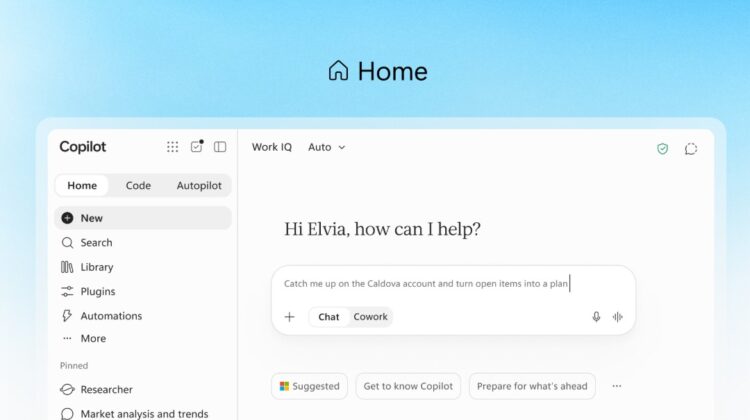
Microsoft has announced an updated version of its AI assistant, Microsoft Copilot, which includes the following features to expand its capabilities:
1. Copilot Home
This new starting point brings together the Chat and Cowork features. Chat can be used to answer questions and draft content, whilst Cowork can perform delegated tasks. The new Home page means that Office applications (including Word, Excel and PowerPoint) will be directly accessible within Copilot.
2. Copilot Code
The new Code feature is powered by the same technology as GutHub Copilot. It allows users to build dashboards, trackers and applications using natural language instructions. These are hosted, and can be shared, within the organisation’s Microsoft 365 environment.
3. Autopilot
Previously called Scout, this is agentic AI which is designed to manage and complete ongoing tasks with minimal user input. It is cloud-hosted so it can continue to operate when users are offline.
The updates are being rolled out in stages, with some initially available in preview.
Users require a Microsoft Copilot license to access these capabilities, such as Microsoft 365 Copilot Business which is available as an add-on to Standard and Premium licenses. Please get in touch to discuss adding Copilot to your Microsoft subscription.
Please note that advanced features, which include Cowork, Code and Autopilot will be subject to additional usage-based billing through Copilot Credits.