
Changes to file sharing in Microsoft 365
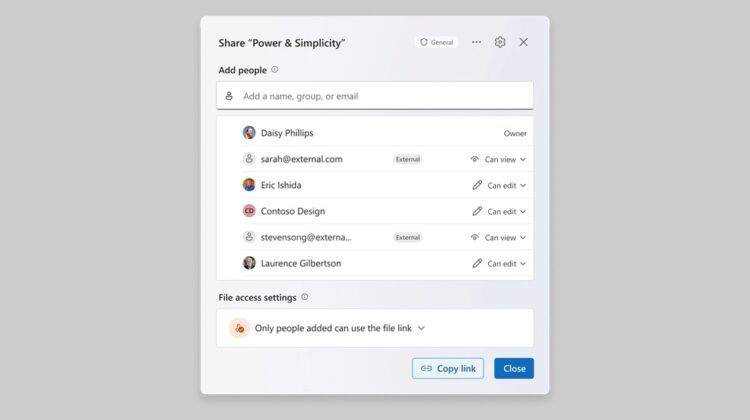
Microsoft has introduced a new file-sharing feature in SharePoint and OneDrive. This changes how users create, manage, and share access to documents and folders.
Previously, sharing a document in Microsoft 365 could create several different URLs, each with its own permissions. This could make it difficult to keep track of who had access and which link provided this access.
The introduction of what Microsoft are calling a ‘Hero Link’ provides a single primary URL for each file or folder. Owners can change permissions or who it is shared with without having to generate and distribute a new link. Existing sharing links will continue to work and can still be managed separately under ‘Other links’.
It’s also important to note that the new ‘Hero Link’ does not default to ‘Anyone’ being able to access the folder or file. This is a welcome improvement to security and privacy.
However, there is still some underlying complexity. Permissions granted to a folder can also apply to the files and subfolders within it, for example. Similarly, permissions can also be inherited from folders, groups and existing sharing arrangements. As always, take care when sharing data both internally and externally, to ensure the right access is granted to the right persons and teams.